











Managing funds securely is an essential part of betting. Easywin payment methods may include bank transfers, digital wallets, and local payment services, depending on the options shown in your cashier. Check the method, amount, and account details before confirming any transaction.
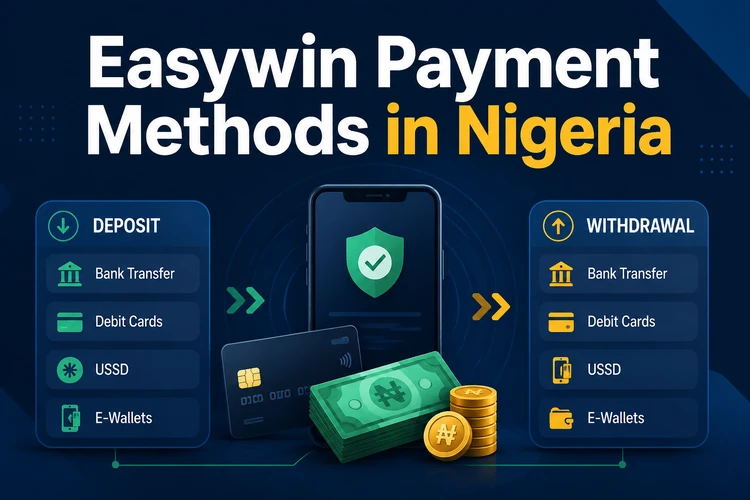
Use payment details registered in your own name and complete any requested verification early. This reduces the chance of a rejected withdrawal and gives support a clear record if a payment needs to be traced.
Available Payment Channels
The cashier is the reliable source for active options on your account. A bank transfer provides a traceable route between your Nigerian bank account and your balance. Where available, a wallet or local payment provider can offer a more app-based checkout flow. Availability can change with account status, location, or provider maintenance.
| Method | Deposit | Withdrawal | Processing | What to check |
|---|---|---|---|---|
| Bank transfer | May be available | May be available | Shown in cashier | Account name and reference |
| Digital wallet | Where available | Where available | Shown in cashier | Wallet number and eligibility |
| Payment provider | Where available | Check cashier | Shown at checkout | Provider confirmation screen |
How to Make a Deposit
Log in, open the cashier or deposit area, choose an available method, and enter the amount. Review any minimum amount displayed on the payment screen before proceeding. You may be redirected to your banking app or the provider's secure page to approve the transaction.
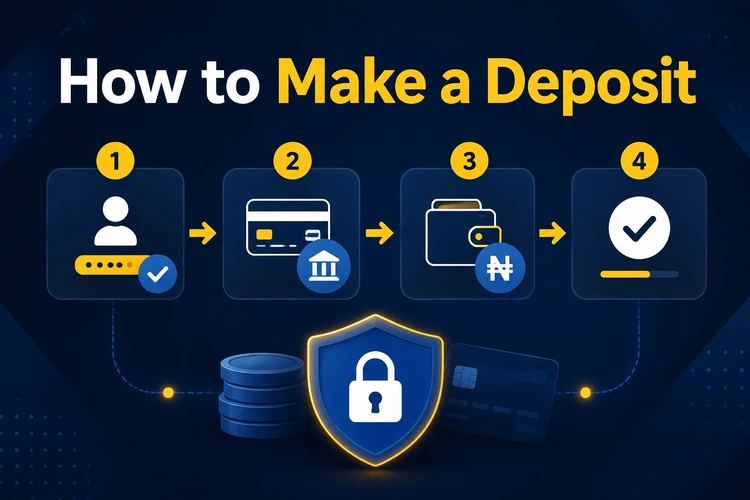
Keep the confirmation message and transaction reference until the balance updates. If a deposit is still pending after the processing period displayed in the cashier, compare the reference in your banking app with your transaction history before contacting support.
Withdrawing Your Winnings
Open the withdrawal area, select an eligible payout method, enter the amount, and confirm the destination details. A withdrawal may be reviewed before it is sent to the provider. Requests can be delayed by incomplete verification, an incorrect account name, or a provider-side issue.
Do not use a third-party bank account or wallet. If the cashier asks for documents, submit clear copies and make sure names and dates are readable. Check account notifications for a request for more information rather than submitting repeated withdrawal requests.
Understanding Minimum Withdrawal Limits
A minimum withdrawal is the smallest amount that can be requested through a particular method. It can differ by payment channel and may be updated, so rely on the figure displayed in the cashier when you place the request. The same screen may also show any maximum amount or daily restriction.
When your balance is below the displayed limit, wait until it reaches the required amount rather than attempting several small requests. Review any fee notice before confirming; do not assume that one method has the same charges or limits as another.
Bank Transfers in Nigeria
For a bank transfer, enter your bank name, account number, and account holder name exactly as they appear in your bank records. Check every digit before submitting. A transfer reference or receipt is useful evidence if the transaction needs investigation.
Bank processing can be affected by weekends, public holidays, and banking-system maintenance. Avoid sending funds to account details received through unofficial messages. Use only the instructions displayed after you start the payment in your logged-in account.
Mobile Money and Digital Payments
Mobile payment services can be convenient where they appear in the cashier. PalmPay or OPay availability depends on current account options, while providers such as Flutterwave or Paystack may be used to process a checkout if supported. Approve payments only inside the official banking or provider interface.
Before authorising a mobile payment, confirm the amount and recipient information on the provider screen. Never share a PIN, one-time code, password, or biometric approval with another person, even if they claim to be helping with a transaction.
Managing Your Easywin Wallet
Your Easywin wallet shows your available balance, deposits, and withdrawal entries. Use the transaction history to reconcile payments by date, amount, and reference. This is particularly useful after changing a phone number, bank account, or preferred payment method.
Set a personal spending limit before funding the account and review your activity regularly. If betting stops being manageable, the available responsible gambling information explains tools and support options.
Receiving Your Cash Winnings
Winnings credited to your balance can be left in the wallet or requested through an eligible withdrawal method. Before submitting, decide on the amount carefully and confirm that the destination account remains active. Keep notifications enabled so you can see approval or follow-up messages promptly.
Account Verification and Transaction Security
Verification may involve proof of identity, proof of address, or confirmation of a payment method. Upload documents through the account area only, with personal details visible where requested. Never send documents through social media or to an unverified contact.
Use a unique password and secure your email account, as it may be needed for payment confirmations. If you notice an unfamiliar transaction or login alert, change your password and contact support without delay.
Tips for Smooth Transactions
Take a screenshot of each confirmation page and retain payment references until the transaction is complete. Check the cashier for current limits, available methods, and any applicable notice before sending money. These simple checks help prevent avoidable errors and make a support query easier to resolve.
FAQ
Choose an available option in the cashier, enter an amount, and follow the provider's instructions. The cashier displays the details relevant to that transaction.
The current minimum is shown in the withdrawal section and may depend on the method selected. Check it before submitting a request.
Timing depends on account checks, the chosen provider, and the processing information shown in the cashier. Review your notifications if a request remains pending.
These services may appear where available for your account. The cashier provides the current list of payment options.
Bank transfer may be offered as an account option. Confirm the available deposit and withdrawal routes in the cashier before initiating a transfer.
Verification may be required before a withdrawal can be completed. Submit requested documents through your account area and ensure the payment details are in your own name.